Back
The Hybrid Workspace
Published onMay 11, 2026
2256Views
10min read
20Comments
20Comments
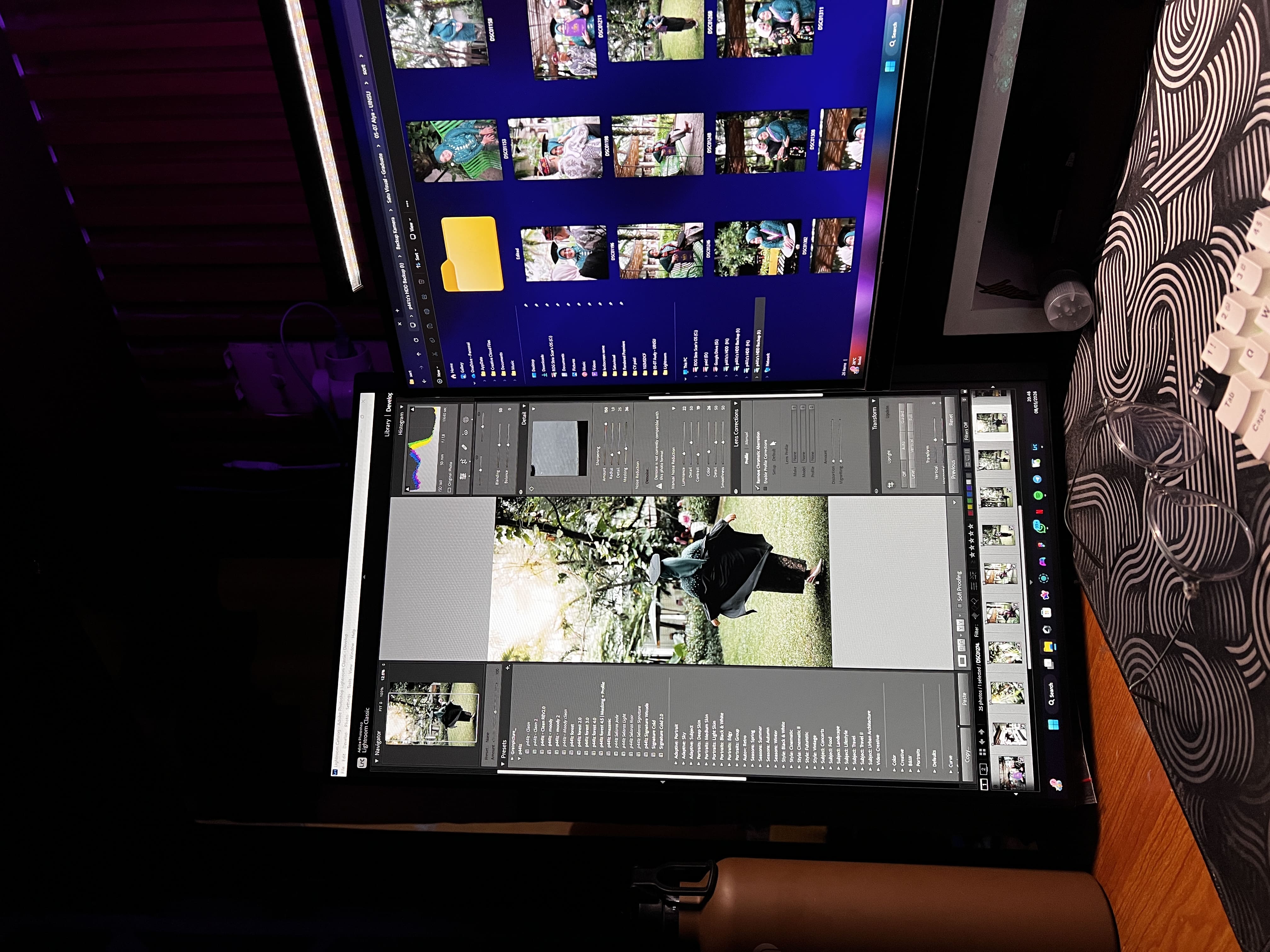
In the professional world, where the lines between Full-stack Development, UI/UX Design, and Video Editing often blur, the efficiency of your workspace dictates the speed of your output. As someone who constantly switches between Figma artboards, VS Code lines, and terminal windows, I faced a major bottleneck that every digital creative knows too well: The Dreaded Alt-Tab Fatigue.
Today, I’m sharing how a specific hardware upgrade—adding a secondary vertical monitor—completely revolutionized my hybrid workflow and saved my neck (literally).
The Single-Monitor Struggle: Context Switching Hell
For a long time, I operated on a single, primary horizontal monitor. On paper, it seemed fine. I had a spacious desktop, but in reality, it was a battleground of overlapping windows.
Here is how my workspace used to look. It looks clean, but the hidden workflow was chaotic:
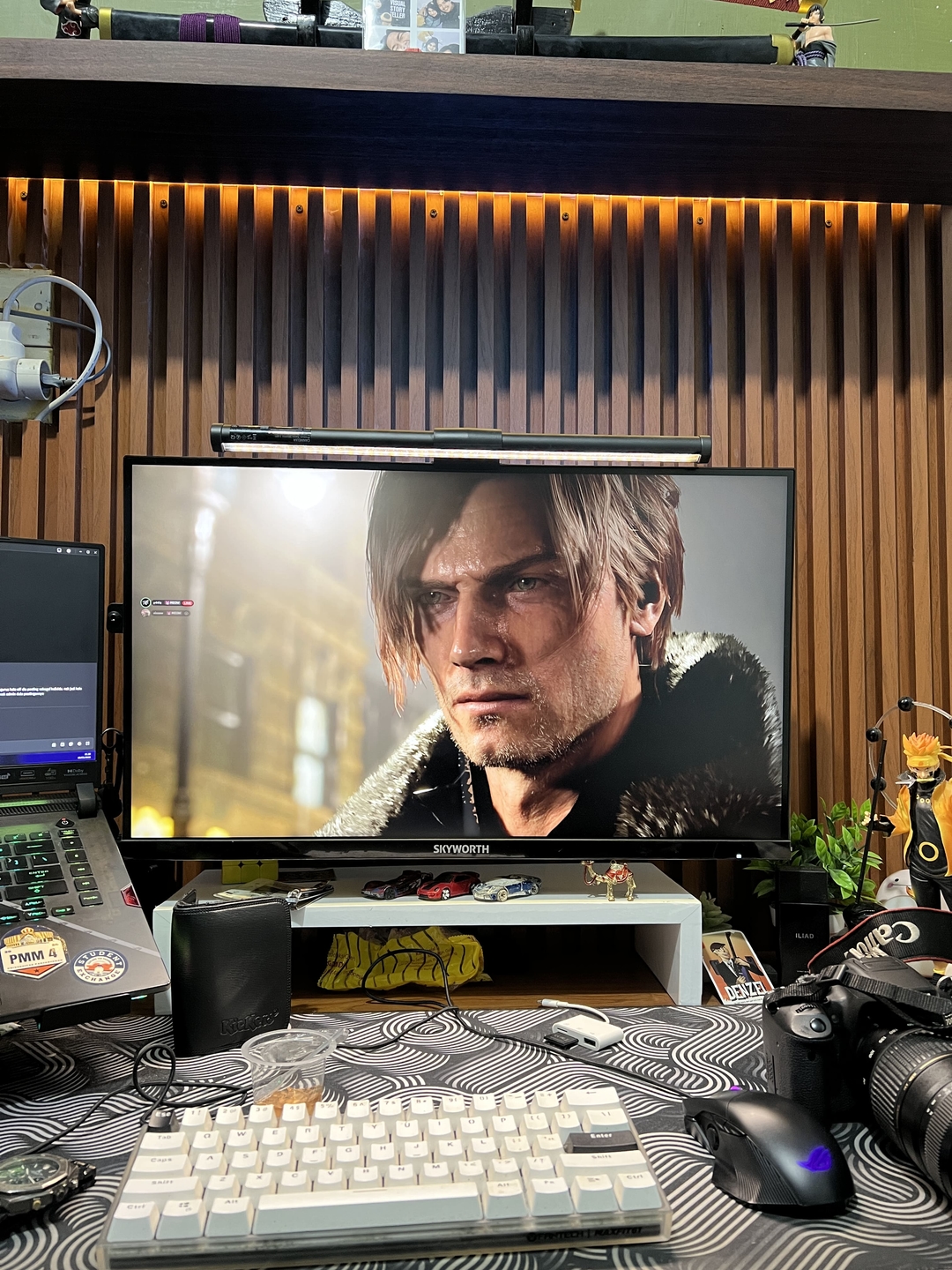
The workflow was exhausting. I would find myself designing a UI in Figma, then alt-tabbing to VS Code to implement it. While coding, I’d need to check the API documentation, resulting in another alt-tab to Chrome. Finally, I’d have to check the terminal for errors—another alt-tab. Every switch broke my focus and added a tiny bit of cognitive load. Over an 8-hour workday, that load accumulates into significant mental fatigue.
I knew I needed a change.
The Core Engine & The Primary Canvas
Before fixing the monitors, the core engine handling this heavy workload is my ROG Strix Scar G15 G533ZM (i7-12700H, RTX 3070Ti, 32GB RAM). It chews through heavy coding sessions and cinematic video renders effortlessly.
For my main visual workspace, I upgraded to the Skyworth H27G30Q 27" 2K 180Hz. The sharp 2K resolution on a 27-inch panel is the absolute sweet spot for UI/UX design. It gives me enough real estate to view a desktop-sized Figma artboard at 100% scale. But while the 27-inch Skyworth is perfect for width, coding and reading documentation require length.
The Search for the Secondary "Reading Machine"
I needed a display dedicated strictly to text consumption and monitoring. While many opt for a second landscape monitor, I felt that would be too much horizontal real estate to cover, causing neck strain from panning too far left and right.
A vertical setup felt like the logical answer. The decision landed on the Xiaomi G24i 24" 1080p 200Hz monitor. Why this specific one?
- 24-inch is the "Sweet Spot" for Verticality: Anything larger, like a 27-inch, becomes too tall, requiring uncomfortable vertical neck movements.
- 200Hz Refresh Rate: You might wonder why you need 200Hz for text. When you are scrolling through thousands of lines of code or API documentation, high refresh rates eliminate text ghosting, drastically reducing eye strain.
- Sleek Aesthetics: It has a relatively clean, modern design that pairs perfectly with my main setup.
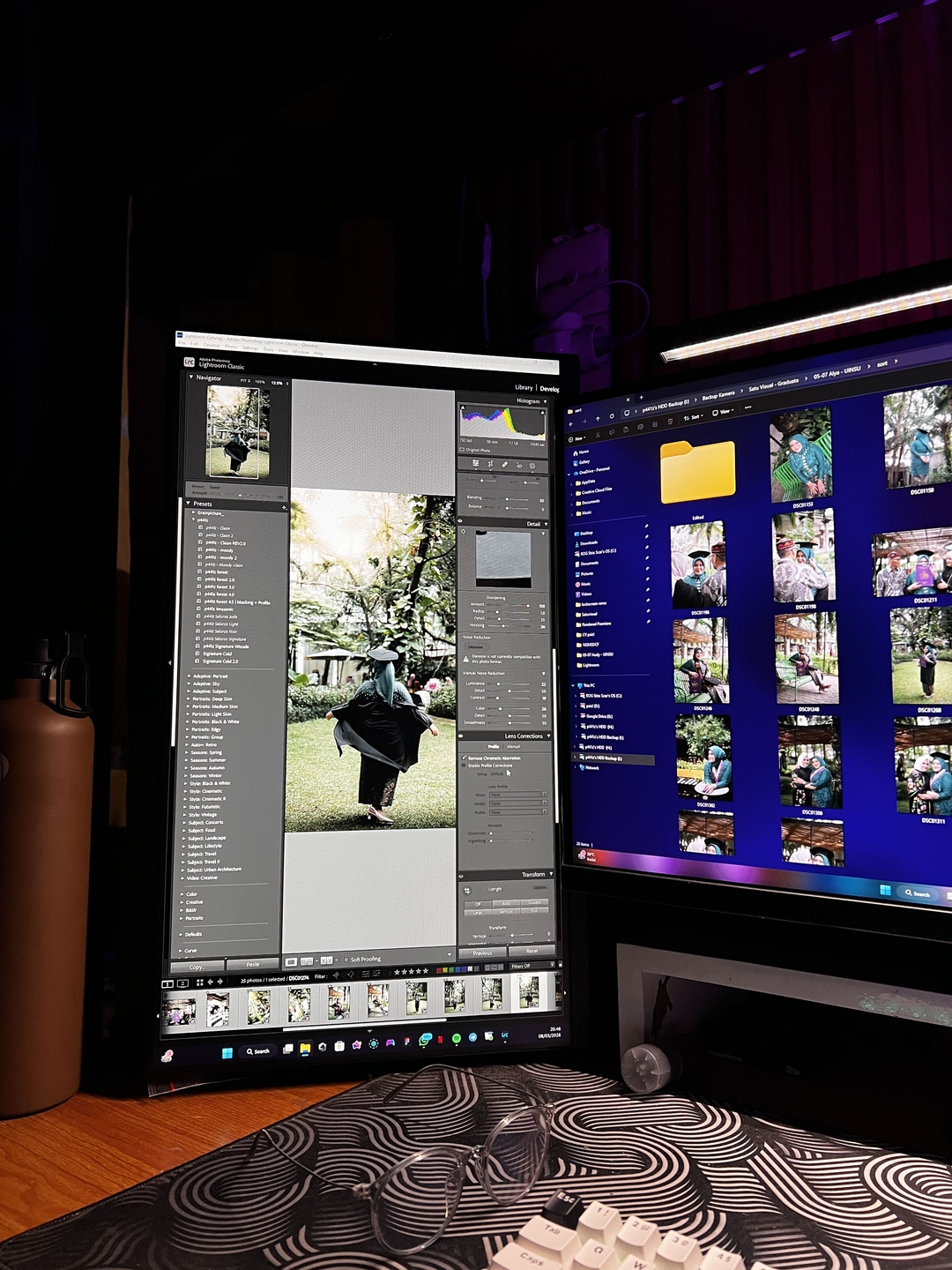
Going Vertical: Unlocking the Developer's "Cheat Code"
The second I rotated that monitor 90 degrees, it was an instant "Aha!" moment. It is not hyperbole to say that vertical orientation is a superpower for anyone who works with code or text-heavy documentation.
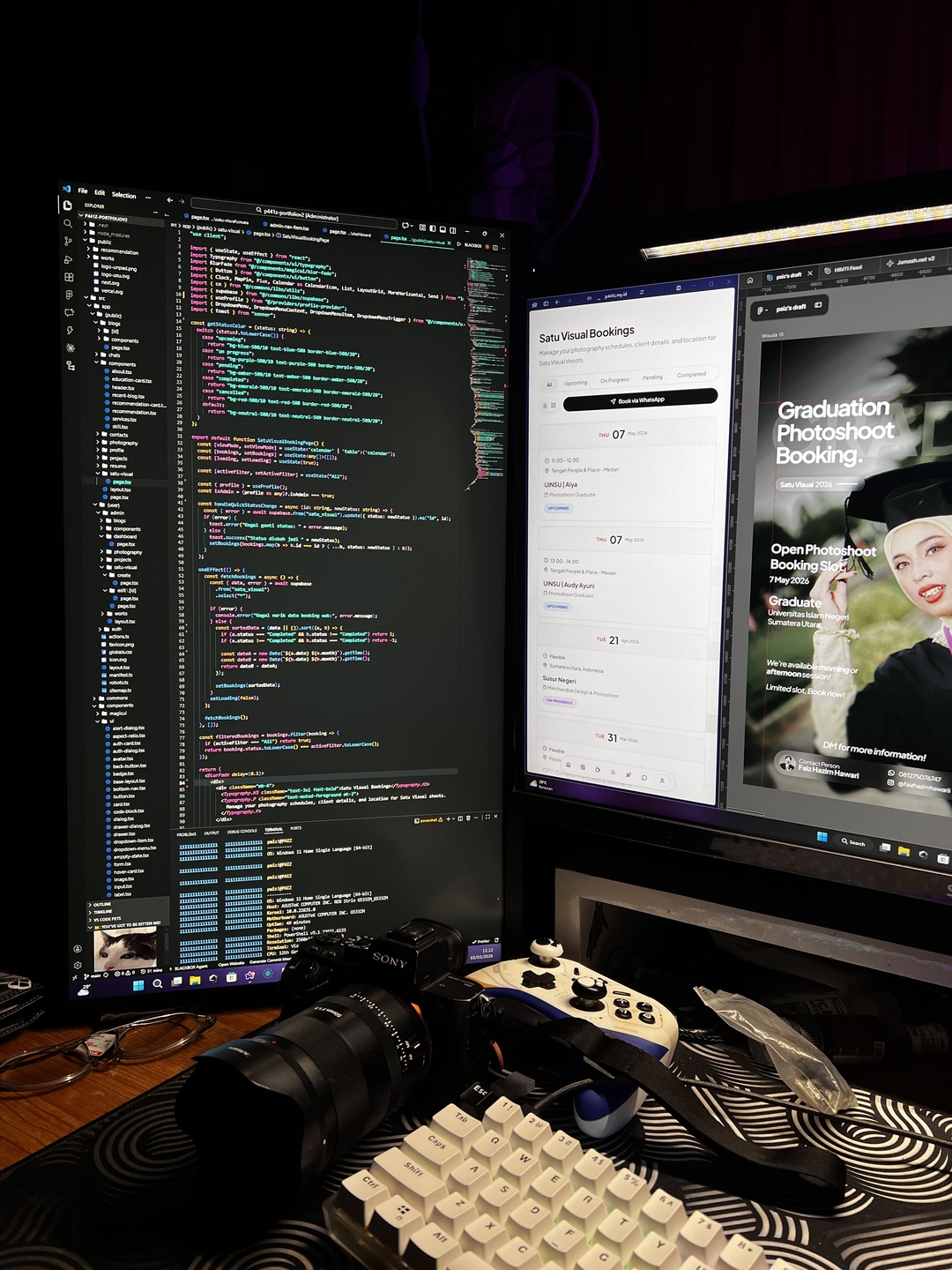
Here is why it works so well:
1. End of Infinite Scrolling
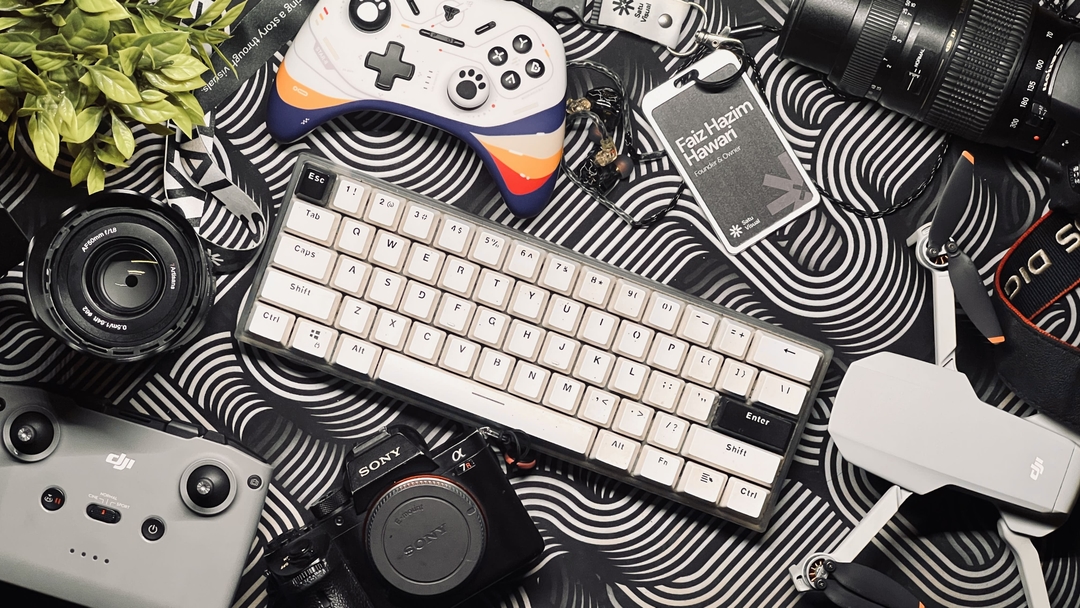
In a landscape orientation, a file with 100+ lines of code requires constant scrolling. In portrait mode, I can see massive blocks of code at once. The ability to scan functions and entire data structures without lifting my hand from my Custom Mechanical Keyboard is a massive time-saver.
2. Documentation and Terminals at a Glance
When coding, my terminal output, the WhatsApp Web for team comms, or the React/Supabase documentation lives strictly on the vertical screen. I can cross-reference, copy-paste snippets, or check build errors instantly without disturbing my coding editor. It’s perfect for reading density.
The Hybrid Setup in Action
With the text and reference material relegated to the vertical "Reading Machine," my primary 27" Skyworth monitor became a dedicated Creative Canvas.
Now, the workflow is seamless. My main monitor runs Figma (full screen) or a full-width browser for a live preview of my Next.js build. When it’s time to code, I write it on the main screen, while referencing the UI requirements or API docs that are perfectly readable on the vertical screen right next to it. No alt-tabbing necessary.
Conclusion: An Investment in Focus and Health
Integrating a secondary 24-inch monitor in vertical orientation is arguably one of the highest ROI (Return on Investment) upgrades I’ve made. It’s not about having more "stuff" on your desk; it’s about reducing cognitive load and physical strain.
If your daily workflow involves managing multiple streams of text alongside visual creation, do your focus and your neck a favor—go vertical.
Reactions
😮
❤️
Comments
Dinda K.
Spill mechakeyb-nya dong ngab, custom apaan tuh?
Rizky (Iky)
Gara2 baca ini gue langsung muter monitor 90 derajat wkwk. Asli enak bgt buat ngoding!
User Baru
Setup idaman para budak korporat 🚀
User Baru
Bener banget, alt-tab fatigue tuh nyata adanya njir. Xiaomi 200Hz dipake portrait emang OP sih.
Alya Sabila Azhar
Spek ROG-nya ga nahan bang, pantes render video aman wkwk
Caca Marica
Beli monitor vertical apa harus beli leher baru juga bang? 🤣
Ozan
Spek dewa begini pasti cuma buat ngerun Hello World kan bang ngaku lo wkwk
Rizky (Iky)
ROG nya mending buat saya aja bang daripada dipake ngetik doang 🏃♂️💨
Teguh Prakoso
Setup udah miliaran, ngebignya tetep di titik koma 🗿
mas_dimas
Apalah dayaku ngoding pake laptop kentang ngelag buka figma 😭
Nabilah
Vertical monitor emang OP sih buat baca manhua.. eh baca dokumentasi maksudnya.
Rizky (Iky)
Berapa jeti tuh abis buat setup gitu? Ginjal masih aman kan bang?
User Baru
Nyari error di monitor vertical berasa lagi baca silsilah keluarga 📜
Rizky (Iky)
Spill keyboardnya ngab, switch nya tactile apa linear?
Arya_Wbs
Layar 200Hz dipake baca teks doang, menangis kaum 60Hz 😭
kang_koding
Ngeri setupnya Suhu, sungkem dulu 🙇♂️
kang_koding
The real "modal awal bikin mental aman" ini mah.
Teguh Prakoso
Info kosan yang listriknya kuat ngangkat setup ini bang wkwk.
Teguh Prakoso
Spill link shopee kursi duduknya dong, leher aman tapi pantat tepos ga tuh?
Teguh Prakoso
Rapi bgt anjir mejanya, meja gw isinya kabel kusut sama gelas kopi bekas 3 hari lalu.